Enterprise device management built for secure, productive teams. One secure platform for every device, user, and workflow.
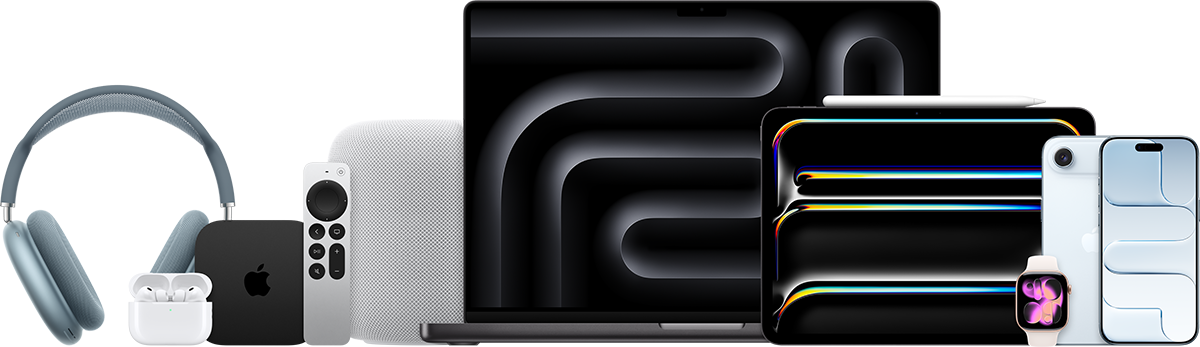
Everything IT needs to configure, secure, and support every business device — from one console.
Ready from first power-on — devices arrive configured, no manual staging.
Configure and update devices anywhere, over the air.
Protect critical business data with enforced policies and encryption.
Push approved apps and content fast, by role or device group.
Gain real-time visibility into compliance and device health.
Resolve issues remotely without collecting the device.
Mobile Device Management gives IT one central platform to configure, secure, and support every business device.
Automate routine work, reduce setup time, and protect company data wherever employees choose to work.
Policies, apps, updates, and security settings are delivered over the internet — without configuring devices one by one.
Onboard new hires faster, deploy approved apps by role, enforce security at scale, and support remote teams from one console.
Coverage can include smartphones, tablets, laptops, and desktops across major operating systems, depending on the selected MDM.
Most solutions use an annual per-device subscription, tailored to device volume, platform requirements, and service scope.
Automated Device Enrollment connects eligible Apple devices to Apple Business Manager and your MDM before they reach the user.
Give IT complete control without slowing people down.
Prepare devices before delivery so new employees can sign in and start working immediately — without waiting for manual IT setup.
Apply passcode, encryption, network, application, and data-protection policies across every managed device from one console.
Automate repeatable tasks, deploy updates remotely, and resolve common support issues without collecting the device.
See device ownership, compliance status, OS versions, installed apps, and security posture in real time.
Protect business data with policy-based access, remote lock and erase, managed app controls, encryption enforcement, and rapid response when a device is lost or compromised.
Create a repeatable security baseline, identify non-compliant devices quickly, and support internal governance requirements with clear device and activity reporting.
A practical deployment journey designed around your people, devices, and security requirements.
Assess devices, users, workflows, applications, network access, and security requirements.
Define enrollment methods, device groups, policies, app assignments, compliance rules, and support processes.
Connect ABM and MDM, run a controlled pilot, refine the experience, and roll out devices in phases.
Monitor adoption and compliance, deliver updates, review reports, and continuously improve the environment.

To gain the full value of an MDM solution, businesses should procure eligible Apple devices — iPhone, iPad, MacBook, iMac, and more — with Automated Device Enrollment (formerly DEP). Enrollment carries no additional fee; devices should be sourced through a supported channel so they can be assigned to the organization before delivery.
DEP is an Apple deployment service designed to work with MDM — ideal for organizations managing many Apple devices, because administrators can configure, secure, and support the entire fleet centrally.
Yuemmai provides consultation and POC support — from planning and ABM–MDM integration to policy configuration, pilot deployment, and ongoing operational support.

Yuemmai is an Apple Authorized Enterprise Reseller and Business Partner in Thailand.
For Enterprise customers — assign, deploy, and manage the company fleet centrally.
For Education customers — the same zero-touch deployment, built for institutions.
We bring together solution planning, Apple Business Manager, MDM configuration, deployment support, and ongoing service — helping your organization move from manual device setup to a secure, scalable operating model.
Copyright © 2026 All Rights Reserved
Made by Kickdown Team